
A variable product is a product that comes in different variations, such as size, color, or material. Each variation can have its own price, stock, and images.
Example of a Variable Product:
- Product Name: T-Shirt
- Attributes:
- Size: Small, Medium, Large
- Color: Red, Blue, Black
- Size: Small, Medium, Large
When a customer selects a Red T-Shirt in Medium size, it will have:
- A specific price (e.g., UGX5,000)
- A specific stock quantity (e.g., 10 units)
A specific image showing the Red Medium T-Shirt
Steps to Add a Variable Product:
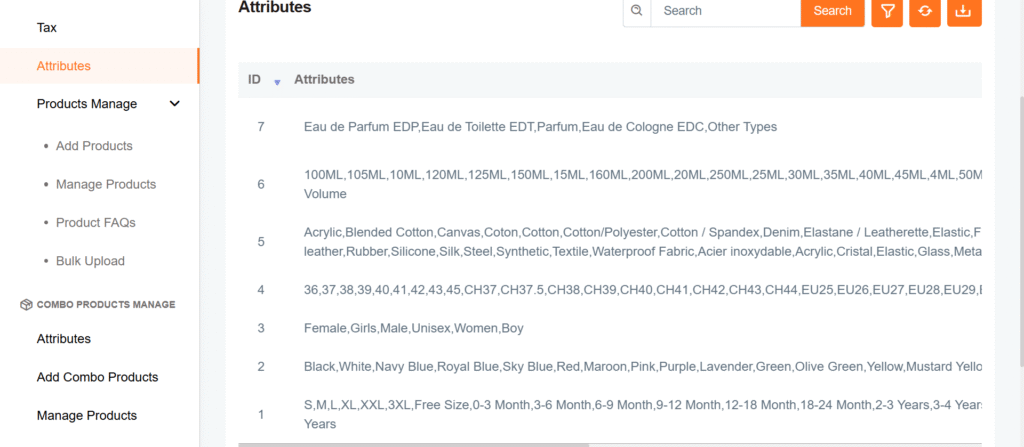
- Add Attributes & Values
Example: Size (S, M, L) and Color (Red, Blue, Black)
Select “Variable Product” while adding a product.

Click on Attributes, choose the attributes, and click Save Settings.
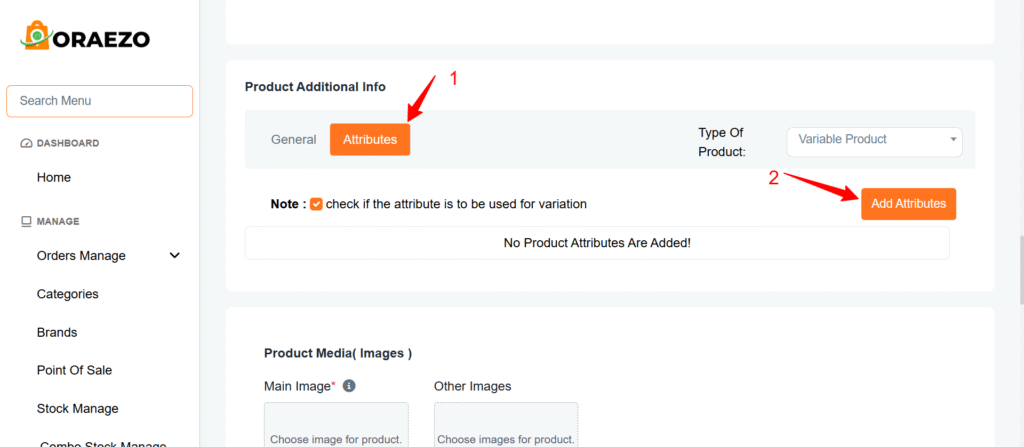
Now, select the attributes you want to add eg. Size, color with there values eg. S, M, L

- Go to the Variants Tab
- You will see the added attributes.
Set price, stock details, and variant images for each combination
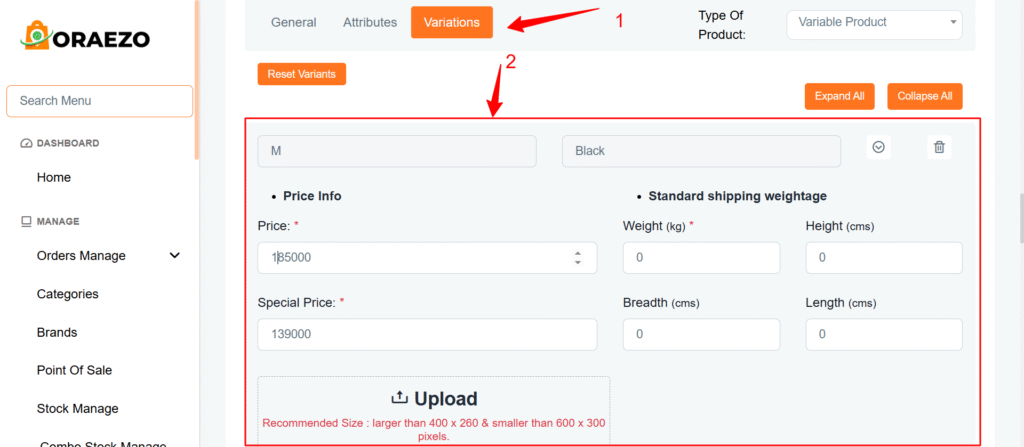
Save the product, and it’s done